The coding-agent orchestrator for Windows
Start your agents and walk away. Your phone buzzes the moment one needs you.
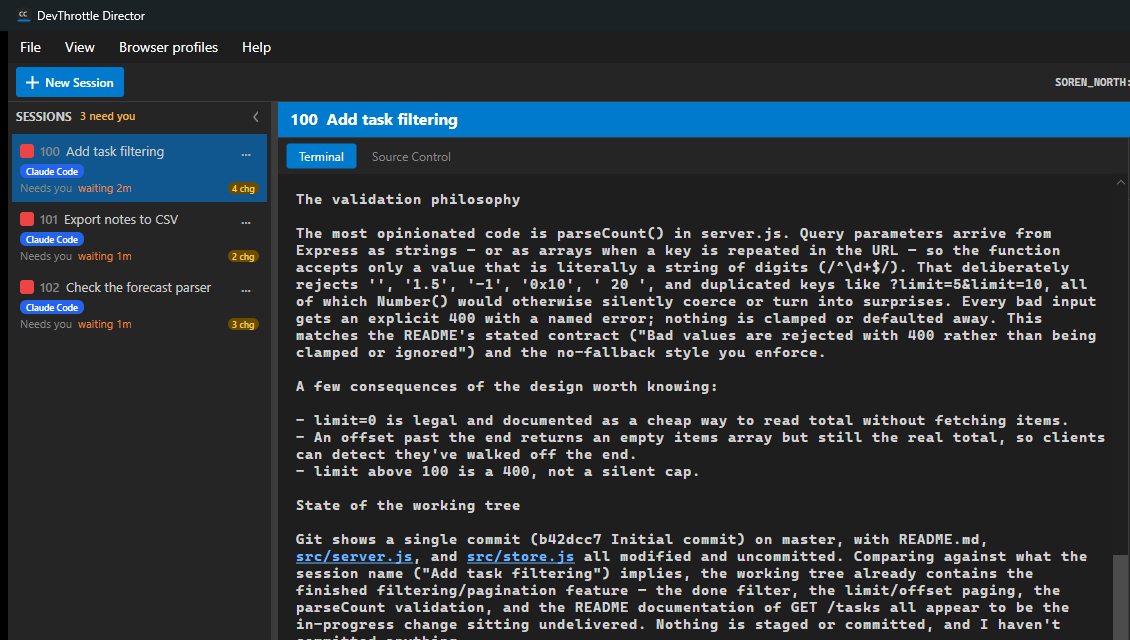
DevThrottle runs Claude Code, Codex, and Gemini side by side in one place on your Windows machine, and tells you the moment one of them stops for an answer.
- The app. Open source, MIT licensed, on your own machine. Yours for good.
- 14 days of Pro. We run the AI: dictation that gets your project names right, agents that report back out loud, a wingman that says what happened before it asks you to decide.
- The path. A step-by-step route from a bare machine to a running agent, and our setup videos. Not a repo and a README.
On day 15 nothing you installed stops. Only the parts we host switch off, and nothing is charged.
“I could do this with tmux and a script.”
You could run them. tmux does not buzz your phone when an agent has been sitting on a question for forty minutes. At two sessions you notice; at six you do not.
“How long is this going to take me?”
About five minutes. One installer, no administrator prompt, nothing written outside your own profile. It finds the coding agents you already have.
“Will my machine and my employer allow it?”
It runs on your own Windows machine. The source is MIT licensed and public. Your agents, and the subscriptions you already pay for, stay yours.
What you get, and what happens on day 15
Most trials end with the tool switching off. This one does not.
- The DevThrottle app, MIT licensed
- Runs on your own machine
- The Director, the notifications, and driving it from your own code
- Your agents and the subscriptions you already pay for
- No account expiry, no version lock
- We run the AI for you — nothing to set up
- Dictation that gets your project names right
- Your agents reporting back out loud
- The wingman
- Starts the moment you make an account
- The parts we run for you stop
- The open source app keeps running on your machine
- Nothing is charged — the trial does not convert on its own
- Keep the hosted side for $29/mo if you want it
- Or run that side yourself, at no cost
One place. Every agent.
You step in only when pinged.
DevThrottle watches your agents so you don’t have to. Four things it gives you:
See who is done and who needs you
Every agent in one place: working, done, or waiting on an answer. The one that stalled forty minutes ago is flagged the moment it stops.
Mix agents from different makers
Claude Code next to Codex next to Gemini — each with its own task, all grinding at once.
Check in from your phone
A push the second an agent needs you — at lunch, in line, on the couch. Answer from your phone or any browser and every agent keeps moving.
Talk with your agents, both ways
Dictate long instructions faster than you can type them, and hear your agents report back out loud. A custom dictionary gets kubectl and your project names right.
See exactly how you drive development
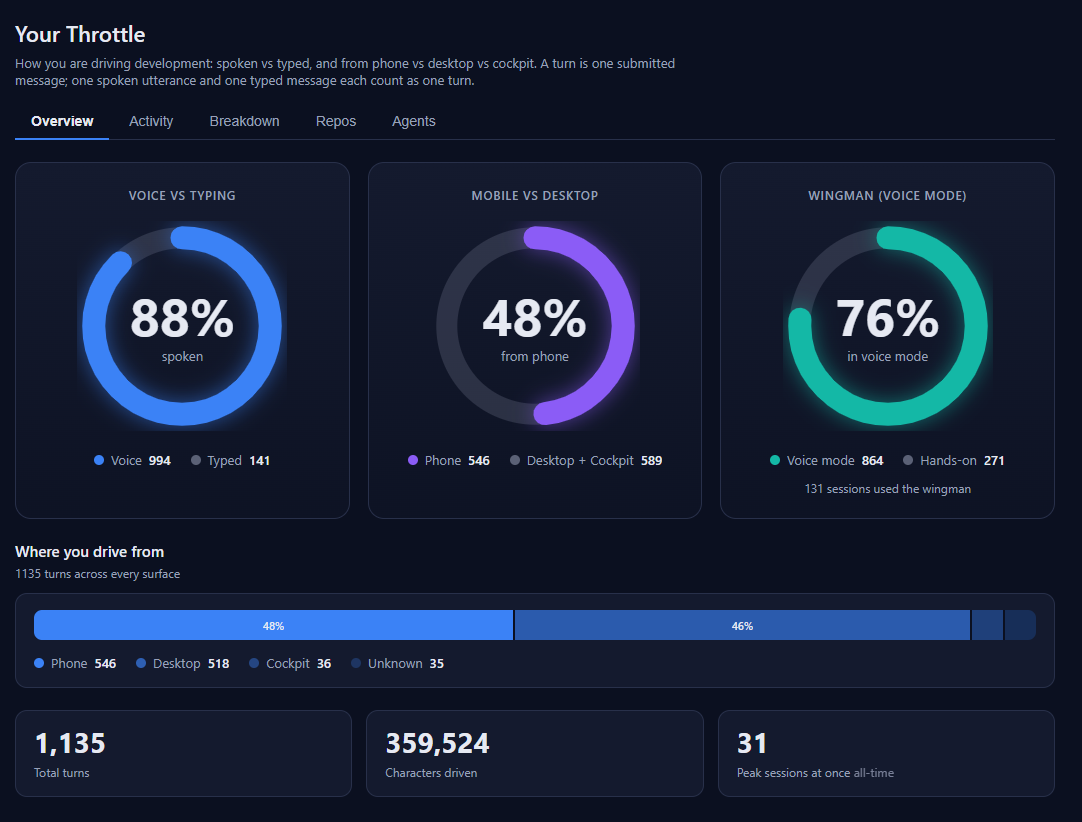
DevThrottle keeps the score: spoken vs typed, phone vs desktop, and how much of your work runs hands-free in voice mode.
Open source, in the open
Watch other developers use it
Rylee Chapin · One feature split across three agents at the same time
Rylee Chapin · Four agents, the same prompt, four different Flappy Birds
Rylee Chapin · Three agents read the setup docs and found twelve errors
Maurice Enun · Adding real video embeds to a website
“We built DevThrottle because we needed it — we run real client work across a dozen coding agents every day, and we kept losing track of which one needed us.”Soren Frederiksen · Founder, Center Consulting · 38 years in tech, two exits
Working in three steps
- 1
Create your account
One click with Google or GitHub, or an email and password.
- 2
Download for Windows
Double-click the installer like any Windows app, then sign in with the account you just made. Windows 10 and 11; macOS via the terminal.
- 3
Start your agents
Open a project and your first agent is running, on your own machine.
More than a session list.
A control room for your agents.
Once your agents are running, DevThrottle keeps working for you:
They talk back, out loud
Turn on voice and your agents narrate what they are doing and ask their questions out loud — listen while you do something else, and answer by just talking.
Long jobs run without you watching
An agent can grind away for an hour on your machine while you get on with something else. You are not holding its hand — you come back when it has something to say.
One ping, not fifty tabs
A single notification the moment an agent needs a decision. The Director triages who is waiting, so you step in on the one that is stuck instead of hunting across terminals.
Script it your way
A Control API and the cc-* command-line tools let you automate DevThrottle, wire it into your own workflow, and drive the whole fleet from code.
The app is open source, and runs on your own machine with the coding agents you already have. Dictation, spoken replies, the wingman, and the Mentor are included in Pro — and every new account starts with 14 days of Pro.
Give every agent its own lane.
Create your account and your first agent is running in three quick steps — on your own machine.
Create free account